 CodeMaster Academy
10 Beginner Mistakes New Programmers Make
Introduction
Learning to code is exciting, but it is also filled with frustrating moments that make many beginners want to quit. The truth is, almost every experienced programmer has gone through the exact same struggles you are facing right now. The difference between someone who succeeds and someone who gives up often isn't talent — it's whether they recognize and correct common mistakes early on.
This article covers ten of the most common mistakes new programmers make, based on patterns seen across coding communities, bootcamps, and beginner forums everywhere. These mistakes span everything from how you approach learning, to how you write code, to how you handle the emotional ups and downs of the journey.
Recognizing these mistakes early can save you months of frustration and help you build good habits from the very beginning instead of having to unlearn bad ones later. Whether you're learning Python, Java, JavaScript, or any other language, these lessons apply universally because they are about the learning process itself, not any specific technology.
Let's walk through each mistake, why it happens, and exactly how to fix it.
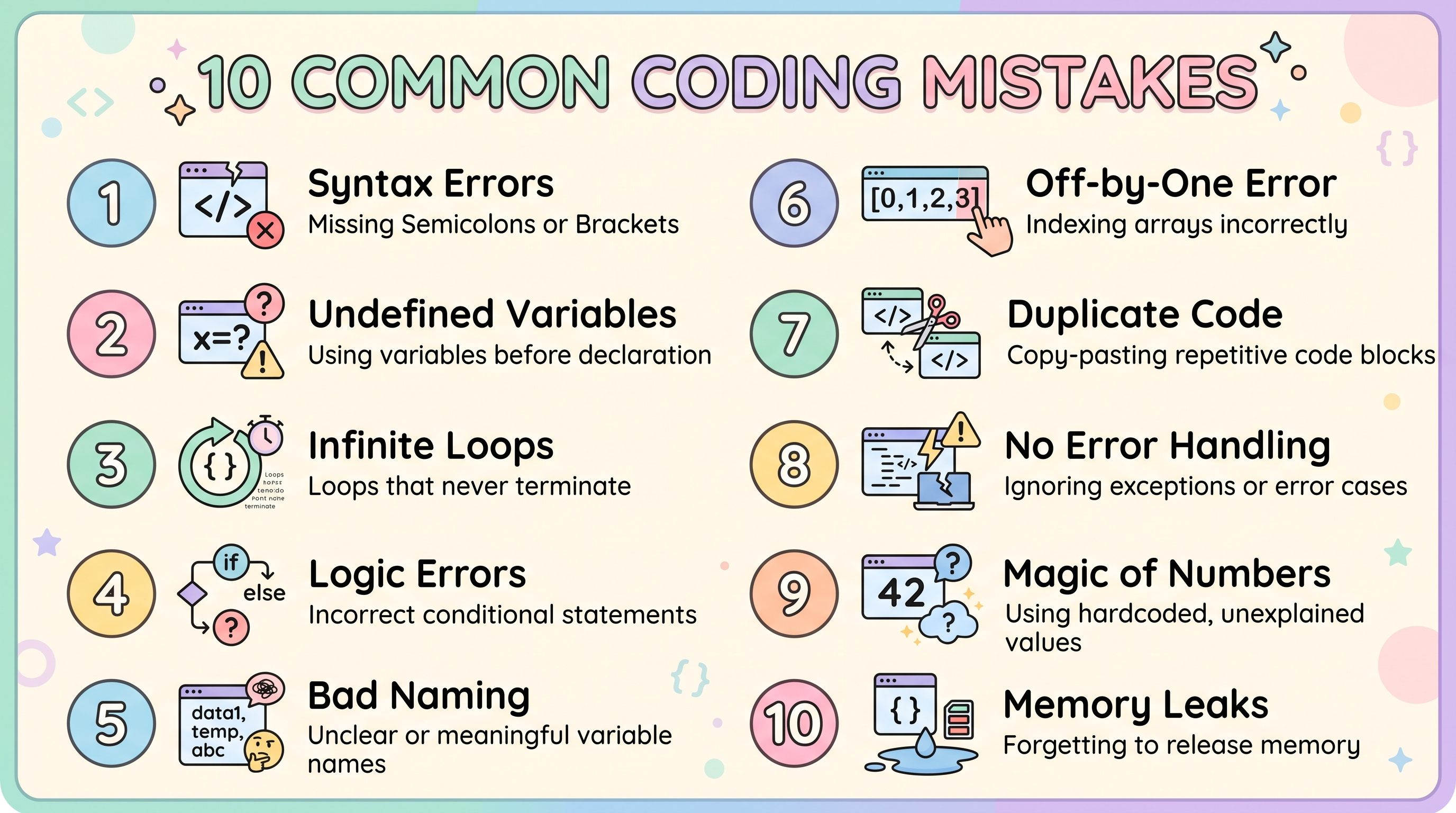
How to Use This Guide
- Read through all ten mistakes once without judging yourself too harshly.
- Identify which two or three mistakes apply most to your current situation.
- Pick one fix at a time to implement rather than trying to change everything at once.
- Revisit this list every few weeks to check your progress.
- Share this article with a fellow beginner so you can hold each other accountable.
- Keep a small journal of mistakes you personally make and how you fixed them.
- Celebrate small wins as you replace bad habits with better ones.
Mistake 1: Tutorial Hopping Without Building Anything
One of the most common beginner traps is jumping from one tutorial to another without ever building something on your own. Watching tutorials feels productive because you're absorbing information, but true learning happens when you struggle through building something yourself. Many beginners finish dozens of tutorials yet freeze up when asked to build a simple project from scratch.
The fix: For every tutorial you complete, spend at least double the time building a similar project independently, without following along step by step.
Mistake 2: Not Typing Code Manually
Copy-pasting code might save time in the moment, but it robs you of the muscle memory and problem-solving practice that comes from typing code yourself. When you type code manually, you naturally make small typos and syntax errors, and fixing them teaches you far more than perfect copy-pasted code ever could.
The fix: Always type code examples yourself, even if it feels slower. The extra time is an investment in your learning.
Mistake 3: Ignoring Error Messages
Many beginners see a red error message and immediately panic or give up, without actually reading what the error says. In reality, error messages are one of the most valuable learning tools available — they tell you exactly what went wrong and often where.
The fix: Slow down and read the entire error message carefully. Search for the specific error text online if you don't understand it, rather than guessing randomly at fixes.
Mistake 4: Trying to Memorize Instead of Understanding
Some beginners try to memorize syntax and code patterns word-for-word, similar to studying for a history exam. Programming isn't about memorization — it's about understanding logic and problem-solving patterns that you can apply flexibly to different situations.
The fix: Focus on understanding why code works, not just what it looks like. Practice explaining concepts in your own words instead of reciting them.
Mistake 5: Comparing Your Progress to Others
It's incredibly common for beginners to compare themselves to others online who seem to be progressing faster or building more impressive projects. This comparison often leads to unnecessary discouragement and can make beginners feel like they aren't "cut out" for programming, which is rarely true.
The fix: Focus on your own progress compared to where you started, not compared to someone else's highlight reel on social media.
Mistake 6: Not Practicing Consistently
Long, irregular study sessions — like coding for eight hours on a Saturday and then not touching code again for two weeks — are far less effective than shorter, consistent daily practice. Programming skills, like language learning, benefit enormously from regular repetition.
The fix: Aim for at least 30 minutes of coding practice daily rather than occasional long sessions.
Mistake 7: Avoiding Debugging Practice
Many beginners try to avoid debugging altogether, either by asking someone else to fix their code or by rewriting entire sections from scratch when something breaks. Debugging is actually one of the most important skills a programmer can develop, and avoiding it slows your growth significantly.
The fix: When your code breaks, force yourself to spend at least 15–20 minutes trying to debug it independently before seeking help.
Mistake 8: Skipping the Fundamentals
Eager beginners often want to jump straight into exciting topics like machine learning, app development, or game design without first mastering fundamentals like variables, loops, and functions. This creates shaky foundations that cause confusion and frustration later.
The fix: Be patient with fundamentals. A strong foundation makes every advanced topic significantly easier to learn later.
Mistake 9: Not Reading Documentation
Many new programmers rely exclusively on tutorials and videos, avoiding official documentation because it can feel dense or intimidating. However, learning to read documentation is a critical skill that professional developers use every single day.
The fix: Start small by reading documentation for functions or libraries you're already using. Over time, this becomes a natural and valuable habit.
Mistake 10: Giving Up Too Early
Perhaps the most damaging mistake of all is quitting during the inevitable frustrating phases of learning to code. Every programmer experiences moments of confusion, bugs that seem unsolvable, and concepts that don't click immediately. Beginners often interpret this struggle as a sign they aren't capable, when in reality, it's simply part of the normal learning process.
The fix: Expect frustration as part of the journey, not as a signal to quit. Push through difficult weeks, because breakthroughs almost always come right after the hardest moments.
Features of This Guide
- Covers both technical and mindset-related beginner mistakes
- Based on patterns commonly observed across beginner programming communities
- Provides clear, actionable fixes for each mistake
- Applicable across any programming language, not just one specific technology
- Organized in a simple, easy-to-follow numbered format
- Balances practical coding advice with emotional and motivational guidance
- Written specifically with complete beginners in mind
- Encourages sustainable, long-term learning habits over shortcuts
- Includes reflection prompts to help you self-assess your own habits
- Designed to be revisited periodically as you progress in your journey
Benefits of Avoiding These Mistakes
- Speeds up your overall learning progress significantly
- Builds strong, sustainable coding habits from the very beginning
- Reduces frustration and burnout during the learning process
- Improves your debugging and problem-solving skills naturally
- Strengthens your fundamental understanding before tackling advanced topics
- Helps you build genuine confidence instead of superficial tutorial completion
- Prepares you better for real-world coding scenarios and job interviews
- Reduces reliance on others by improving independent problem-solving
- Makes documentation and official resources less intimidating over time
- Increases your chances of staying consistent and eventually reaching your goals
Common Use Cases
- Self-taught programmers building their first personal projects
- Bootcamp students trying to keep up with a fast-paced curriculum
- College students learning programming for computer science courses
- Career switchers transitioning into tech from unrelated fields
- Hobbyist coders building small apps or scripts for fun
- Freelancers trying to expand their technical skill set
- Students preparing for coding interviews and technical assessments
- Parents or mentors guiding young learners through their first coding steps
- Online course participants struggling to apply tutorial content independently
- Anyone returning to programming after a long break and rebuilding habits
Frequently Asked Questions
1. Is it normal to feel like I'm not making progress as a beginner?
Yes, this is extremely common. Progress in programming often feels invisible day-to-day but becomes clear when you look back after a few months.
2. How do I stop comparing myself to other programmers online?
Try limiting time spent on social media coding communities and instead focus on tracking your own personal growth and milestones.
3. Should I learn multiple programming languages at once as a beginner?
No, focus on mastering one language's fundamentals first before branching out to additional languages.
4. How important is debugging practice really?
Extremely important. Debugging teaches you how programs actually work and builds problem-solving skills that tutorials alone cannot provide.
5. What should I do when I get stuck on a coding problem?
Try debugging independently for at least 15-20 minutes, then search for the specific error or concept online before asking for direct help.
6. Is it okay to use tutorials at all?
Yes, tutorials are valuable for learning new concepts, but they should always be followed by independent practice and project building.
7. How do I know if I'm ready to move to more advanced topics?
If you can build small projects using fundamentals without following a tutorial step-by-step, you're likely ready to progress further.
8. What's the best way to build consistent coding habits?
Set a small, realistic daily goal, like 30 minutes of practice, and track your streak to build momentum over time.
9. Should I read documentation even as a complete beginner?
Yes, start with small, simple documentation pages for functions you're already using, and gradually build comfort with more complex references.
10. How long does it typically take to feel confident as a programmer?
Most people start feeling reasonably confident after six months to a year of consistent practice, though this varies based on time invested and prior experience.
Bonus Tip: Building a Personal System to Avoid These Mistakes
Knowing about these ten mistakes is only half the battle — actually avoiding them requires building a personal system that keeps you accountable. One effective approach is keeping a simple learning journal where you log what you studied each day, what confused you, and how you eventually solved it. Over time, this journal becomes a powerful tool for spotting patterns in your own learning, such as consistently rushing through fundamentals or repeatedly avoiding debugging on your own.
Another helpful system is setting weekly, specific, and measurable goals instead of vague ones like "get better at coding." A goal like "build a working to-do list app using only what I've learned so far, without following a tutorial" gives you a clear target and a genuine test of your independent problem-solving ability. Pairing this with a dedicated, consistent time block each day — even just 30 minutes — removes the guesswork of "when should I study" and turns practice into an automatic habit rather than something you have to constantly motivate yourself to do.
Finally, consider finding an accountability partner or small study group, even if it's just one other beginner. Explaining concepts to someone else, or simply checking in on each other's progress, adds a social layer of motivation that's often missing when learning alone. Many beginners find that the combination of a learning journal, specific weekly goals, and social accountability makes the difference between quietly giving up and steadily building real, lasting programming skills.
Why Choose CodeMaster Academy?
CodeMaster Academy offers a completely free, forever-accessible platform to support your programming journey, with no registration required to start using our tools. Every tool is browser-based, meaning you can access it instantly and securely without downloading anything, keeping your data private and protected. Our platform is built to be fast and mobile friendly, ensuring you can practice coding concepts whether you're on a laptop or a smartphone. We've designed CodeMaster Academy to be easy to use for learners at every stage, helping you avoid unnecessary friction as you build the skills and habits needed to become a confident programmer.
Last Updated: July 2026
Conclusion
Every programmer, no matter how skilled they are today, made these exact same mistakes when they were starting out. The goal isn't to avoid mistakes entirely — that's impossible — but to recognize them quickly and correct course before bad habits become deeply ingrained. By focusing on consistent practice, understanding over memorization, embracing debugging, and pushing through frustration instead of giving up, you set yourself up for genuine, long-term success in programming. Be patient with yourself, trust the process, and remember that every experienced developer once sat exactly where you are now.